
Start from one table. Follow the keys.
Schema Explorer reads your database schema and draws it as a diagram you build as you go: only the tables you’re looking at, laid out for you, and kept in workspaces you can come back to.
Free · For Macs with Apple silicon and for Windows 10 and 11
- platforms
- macos | windows
- engines
- sqlserver | postgres
- connects
- direct | ssh | ssm
- passwords
- keychain
- price
- money = 0
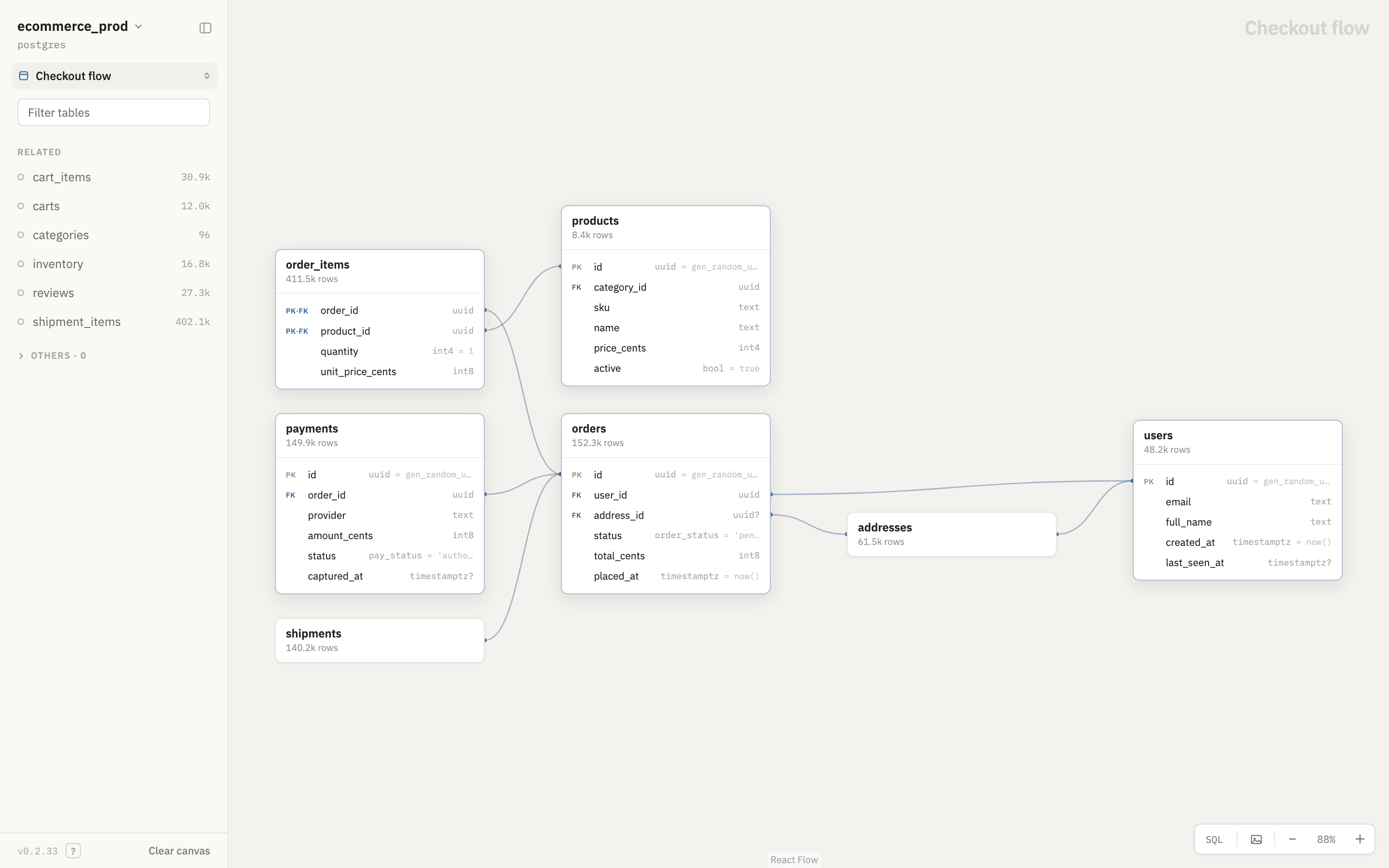
Only the tables you’re looking at.
Place a table and the panel lists the ones it’s related to. Add them one at a time and the diagram lays itself out. Expand a card for its columns, types, defaults and keys, and follow a foreign key to the table it points at.
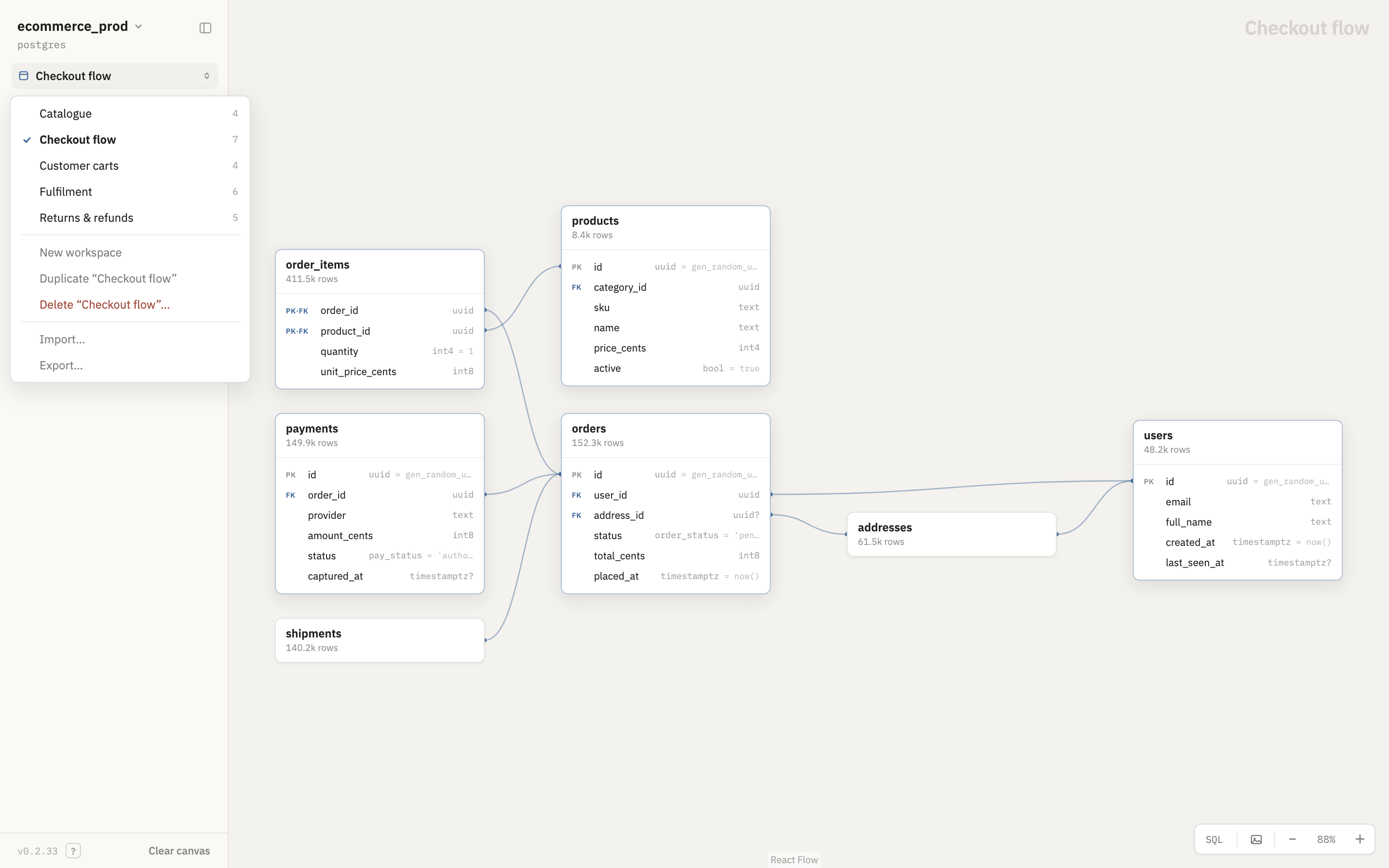
Every exploration, kept.
There’s no Save. A workspace remembers which tables are on the canvas, which are expanded and pinned, where each card sits and where you left the view. Keep one per question, switch between them, and export a few to hand to a colleague. A table that’s gone from the database stays on the canvas, outlined in red, so the workspace still shows what was there.
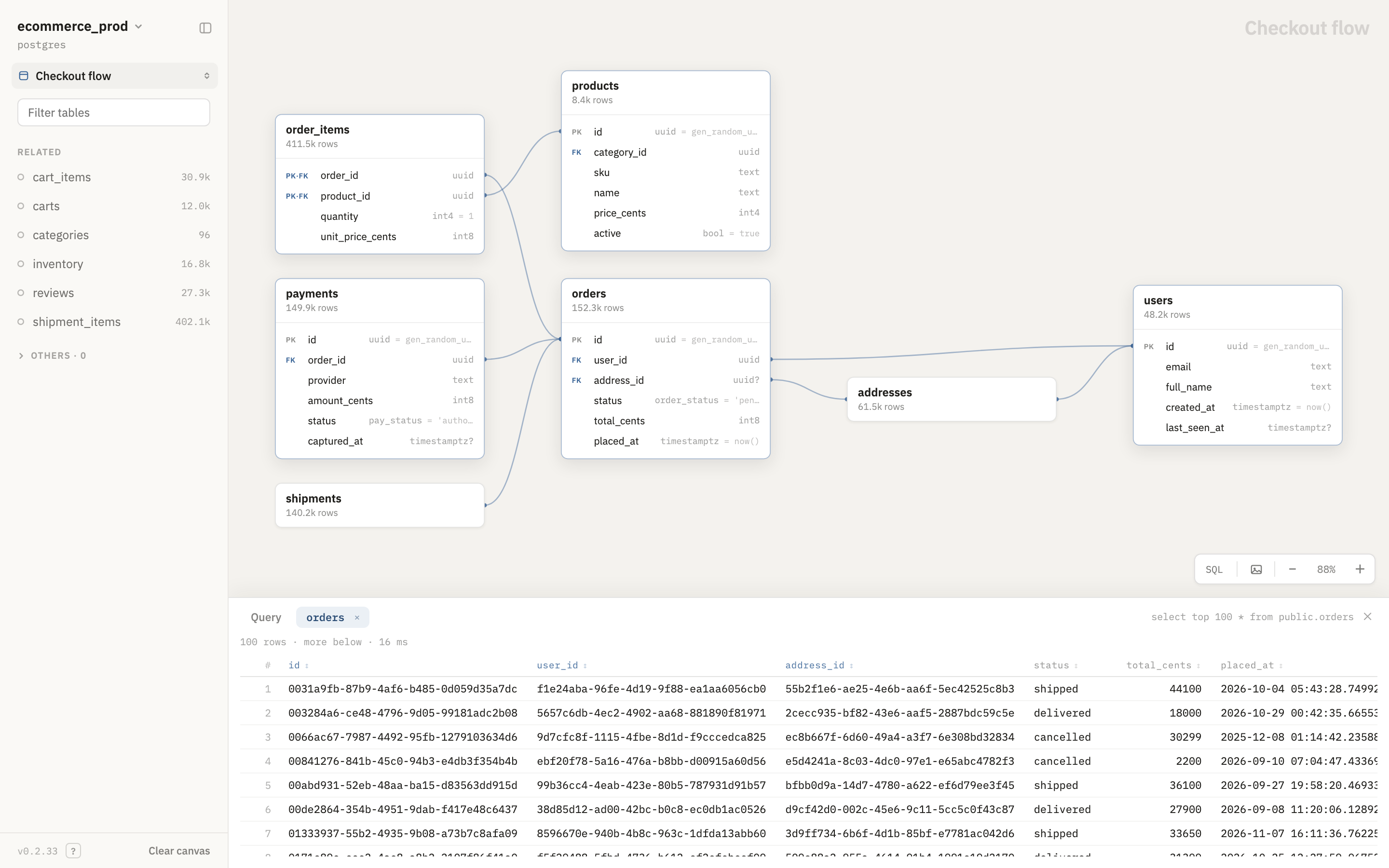
Look at the rows, too.
Every card carries its exact row count. Open a table’s data a hundred rows at a time, sorted on the server so the order holds across pages, with NULL shown as NULL and binary as hex.
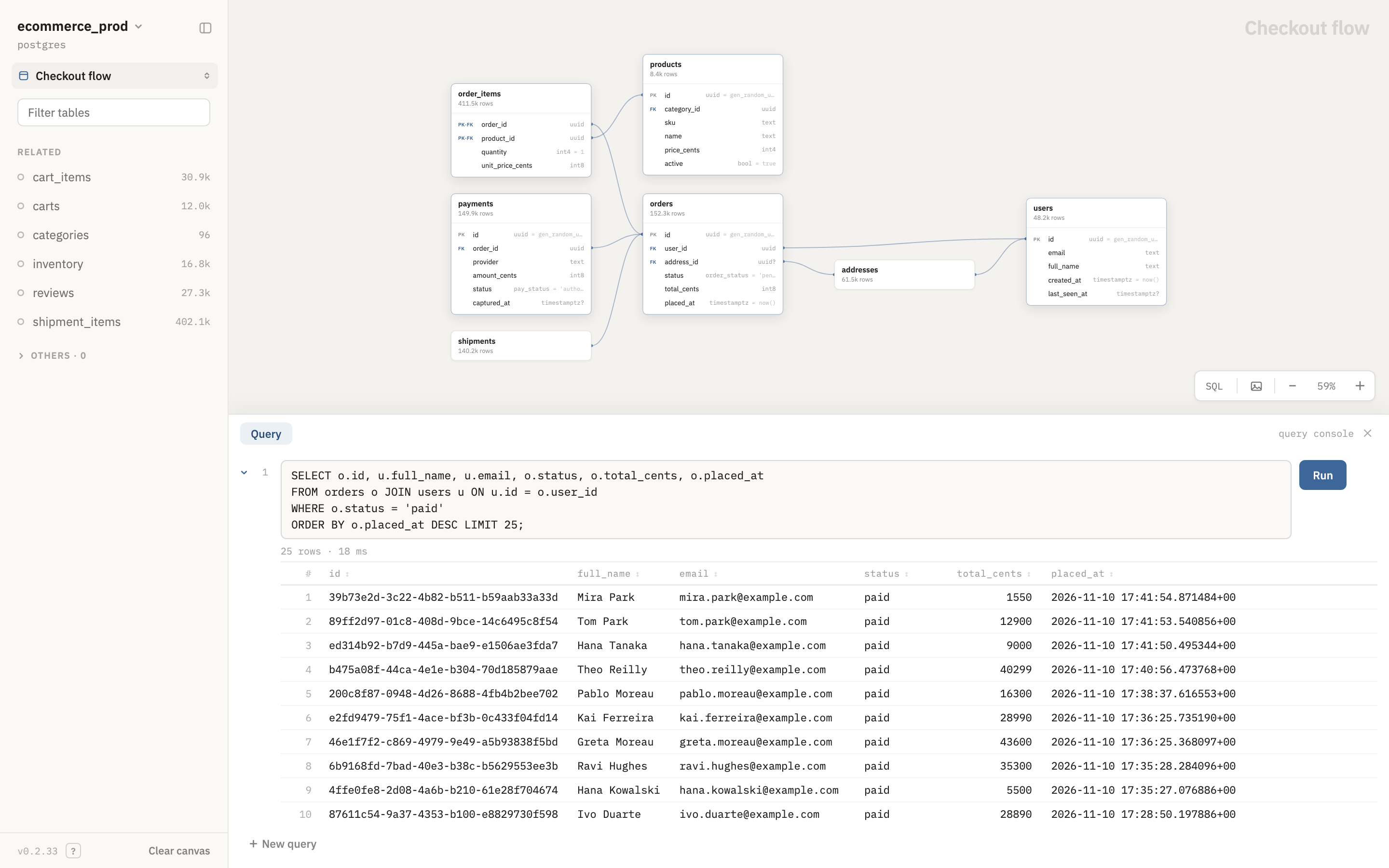
Ask it anything in SQL.
The query console runs what you type against the connected database and shows the real result, the real timing and the server’s own error text. It imposes nothing of its own, so what it may do is up to the database user you connect as.
Pointing it at production? Connect as a read-only user.
A picture worth pasting.
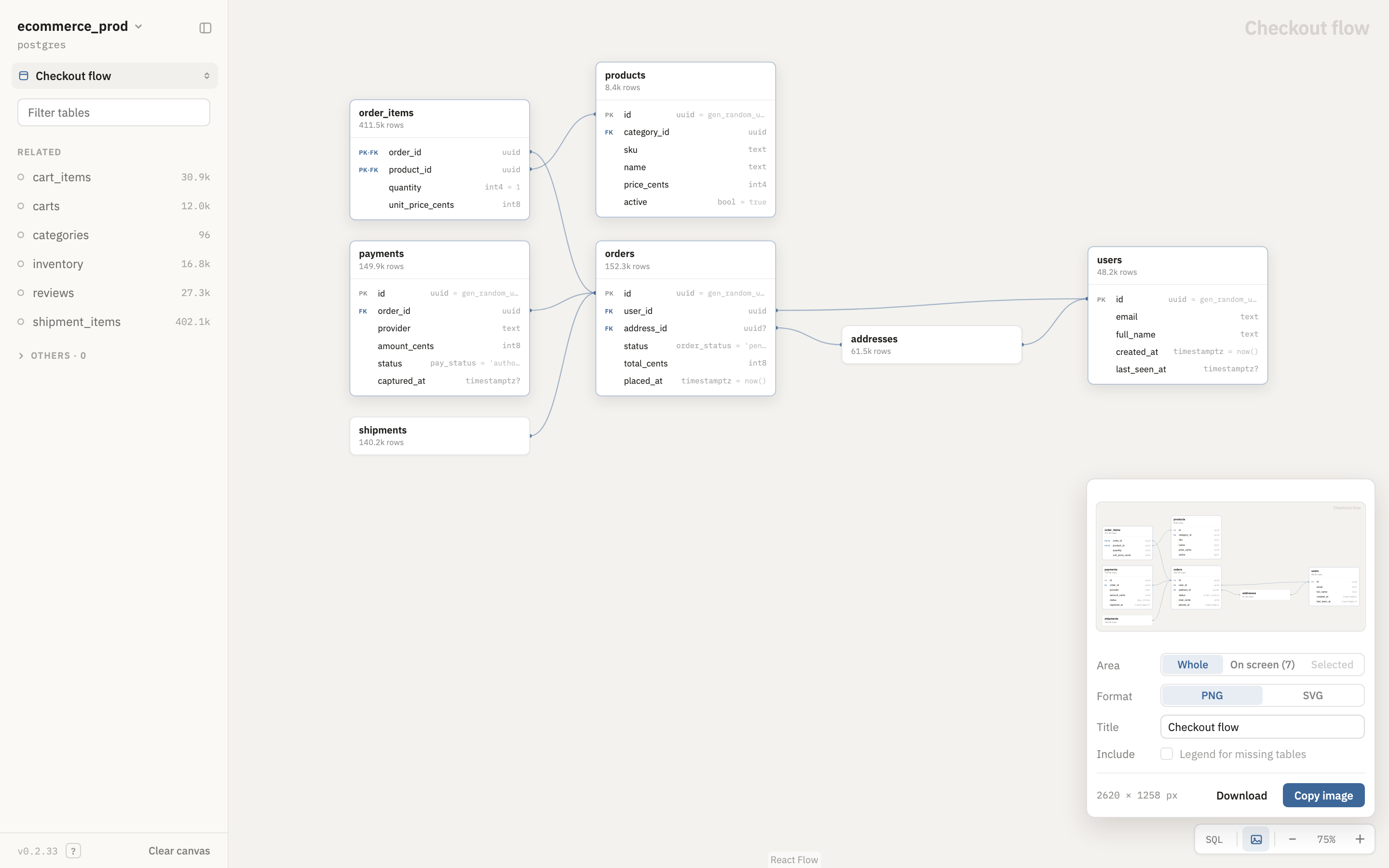
Pin the tables that matter, with their pin or by sweeping a rectangle with Shift, and move them as one. Then draw the diagram as PNG or SVG: all of it, what’s on screen, or just the pinned tables, with a title and a legend, ready to copy or download.
Through the tunnel you already have.
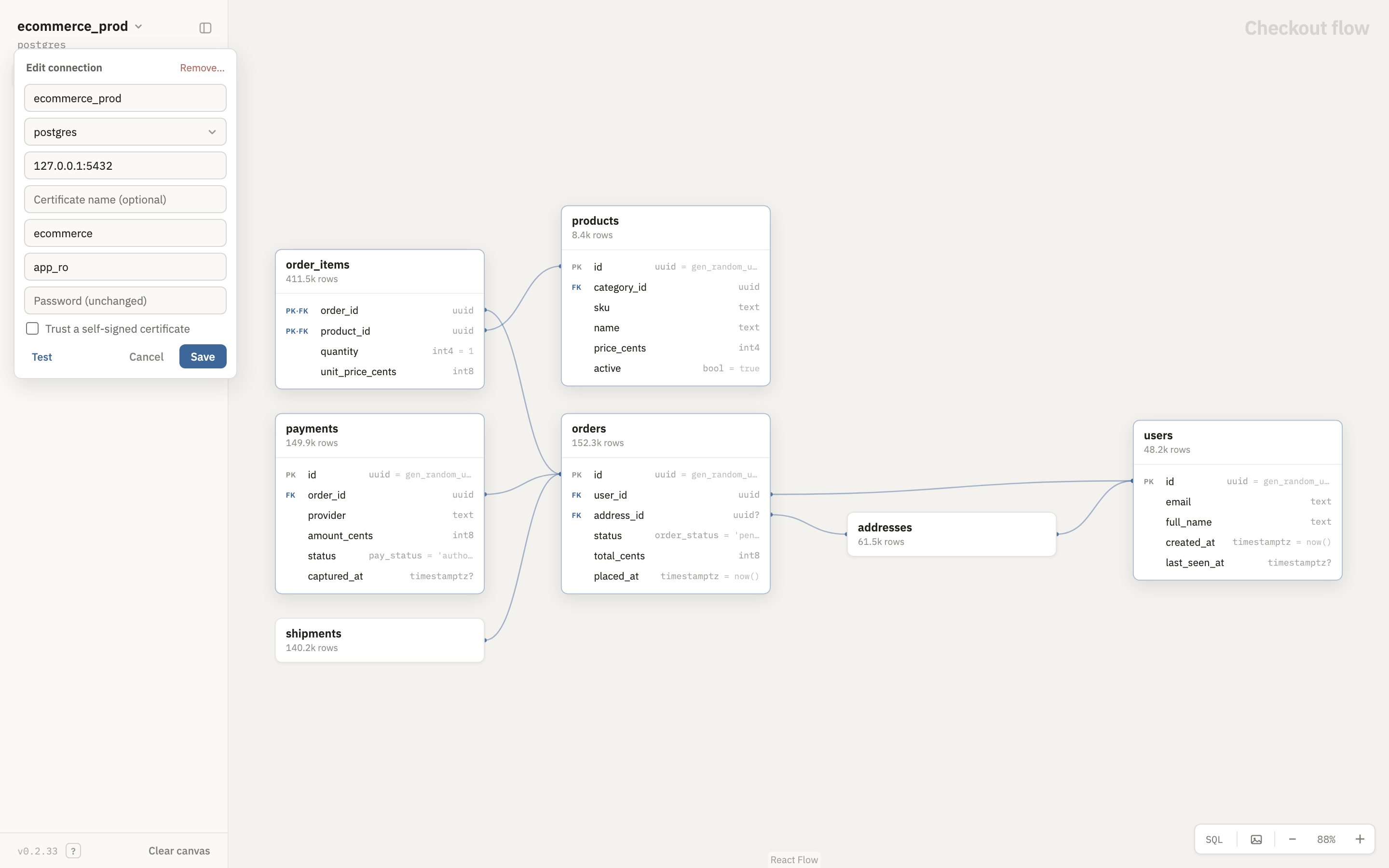
Connect straight to the server, or to the local end of an SSH or SSM tunnel you’ve already opened: the certificate is still checked against the server’s real name. Connections live in a plain TOML file you can edit by hand or from the app.
Your schema stays on your computer.
- No account, no analytics, no telemetry. The app sends nothing to me.
- Passwords go to the macOS Keychain or Windows Credential Manager, never into the connection file.
- Workspaces and queries are plain files in
~/.SchemaExplorer. Delete the folder and they’re gone.
Free, for Mac and Windows.
On the Mac App Store and the Microsoft Store.
Mac
For Macs with Apple silicon (M1 or later).
Coming soon to the Mac App StoreFreeThe App Store installs it and keeps it up to date, and it opens like any other app, with no extra steps.
Windows
For Windows 10 or 11 on x64. Windows on Arm runs it under emulation.
Coming soon to the Microsoft StoreFreeThe Microsoft Store installs it and keeps it up to date, and it opens like any other app, with no extra steps.